
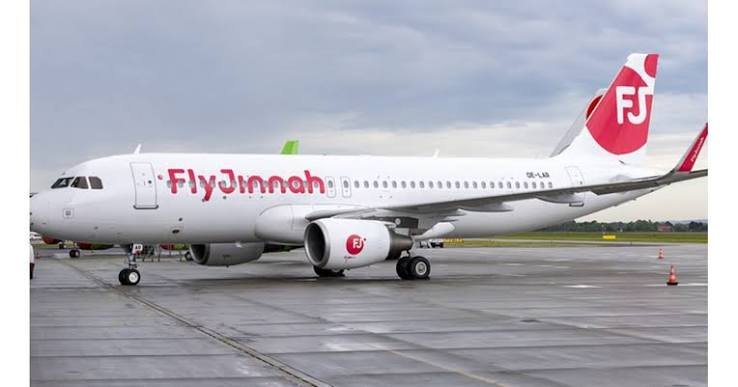
The Fly Jinnah travel agent login is on the airline’s official Travel Agents Portal page at flyjinnah.com, which links to its agent booking system at xbe.flyjinnah.com. Only approved agents with credentials issued by Fly Jinnah can sign in. Passengers use the separate Manage tab with a booking reference, not the agent portal.
| Quick Facts | Details |
|---|---|
| Airline | Fly Jinnah (Pakistani low-cost airline) |
| Official agent portal page | flyjinnah.com/en/about-us/travel-agents-portal |
| Agent login link on that page | xbe.flyjinnah.com/xbe/ |
| Who can log in | Travel agents approved by Fly Jinnah |
| Customer booking changes | Manage tab on the website, or the Fly Jinnah app |
| Domestic cities served | Islamabad, Karachi, Lahore, Peshawar, Quetta |
| Last checked | 9 October 2026 |
Fly Jinnah Travel Agent Login Explained
If you run a travel agency in Pakistan, you have probably searched for the Fly Jinnah agent login more than once. Many sites bury the answer under general travel tips, so here is the short version. Fly Jinnah has a dedicated Travel Agents Portal page on its official website. That page invites agents to log in, and the link takes you to the airline’s agent booking system.
The airline describes the portal as an easy and convenient selling option for partners in the travel trade community. In plain terms, it is the tool agents use to sell and service tickets, instead of the public booking page that customers see.
We checked the official page in October 2026. Always start from flyjinnah.com rather than a link sent in a message or found on a random website, because login pages are a favourite target for scams.
Where to Find the Official Fly Jinnah Agent Portal
There are two safe ways to reach the agent login.
- Open the Fly Jinnah website, scroll to the footer and look under the “Log in” section for “Travel agent portal”.
- Go straight to the official Travel Agents Portal page and use the login link on it. At the time of checking, that link points to xbe.flyjinnah.com/xbe/.
Bookmark the page once you are sure it is genuine. If the address in your browser does not show flyjinnah.com or its xbe.flyjinnah.com sub-site, do not type your username or password.
How Agents Register and Get Credentials
This is the part most agents want clarity on, and honesty matters here. The official portal page says Fly Jinnah welcomes travel agents who wish to represent it in any of its destinations. It does not publish a registration form, a list of required documents, fees or an approval timeline.
That means we cannot give you an official checklist, and you should be cautious of any website that claims to have one. As examples only, airlines commonly ask agencies for the following, and Fly Jinnah may ask for similar items:
- Your registered business name and a valid trade licence or equivalent registration
- IATA or other trade accreditation details, if you hold them
- Business address, contact person and an official email address
- Payment or settlement arrangements for bookings
These are not confirmed Fly Jinnah requirements. The reliable way to start is to contact the airline through the Fly Jinnah Help Centre, which lists chat and other contact options. Say that you want to become a travel agent partner, then ask which documents are needed and who issues your credentials.
No agent-specific phone number or email is published on the portal page, so we are not listing one here. Use only the contact channels shown on the official site.
Common Fly Jinnah Agent Login Problems and Fixes
Agents tend to run into the same handful of issues. Here is a practical checklist to work through before you raise a support request.
You Cannot Find the Login Page
Search engines sometimes show old or third-party pages. Return to the official Travel Agents Portal page and use the link there. Clear your browser cache or try a private window if the page does not load.
Your Username or Password Is Rejected
Check that Caps Lock is off and that you have not copied a trailing space. If you are sure the details are right, the account may not be activated or may have been disabled. Contact Fly Jinnah through the Help Centre rather than guessing repeatedly.
The Page Loads Slowly or Times Out
Booking systems get busy around Eid, summer holidays and long weekends. Try a different browser, switch to a steadier internet connection and avoid refreshing again and again while a search is running.
You Are a Customer, Not an Agent
Many people land on the agent page because they only want to change their own ticket. The agent portal is not meant for passengers. Use the customer route described in the next section instead.
You Suspect a Fake Portal
Never share credentials by WhatsApp, SMS or email. If a link looks wrong, close it and report it through the official contact channels.
Customer Manage Booking vs Agent Login
These are two different doors into the same airline, and mixing them up is the number one reason for “login not working” complaints.
| Feature | Agent Login | Customer Manage Booking |
|---|---|---|
| Who uses it | Approved travel agents | Passengers |
| Where to find it | Travel agent portal link in the website footer | Manage tab on the website, or the app |
| What you enter | Credentials issued by Fly Jinnah | Booking reference (PNR), departure date and last name |
| Main purpose | Selling and servicing bookings for clients | Changing, cancelling or adding extras to your own trip |
According to a third-party guide from Almosafer, the customer route asks for the PNR, the date of the first flight and the contact person’s last name. Passengers can then add baggage, seats and meals, or change a flight. Change and refund rules depend on the fare you bought, so read your fare conditions on the official site before paying any fee.
The Fly Jinnah website also offers online check-in and a flight status check. Confirm any deadline directly on flyjinnah.com, because airlines update these rules from time to time.
What Agents Can Usually Do on the Portal
Fly Jinnah does not publish a feature list for the portal, so we will not claim specific screens or tools. In general, airline agent portals are used to check availability and fares, issue tickets, view booking records and handle changes for clients. Ask your Fly Jinnah contact exactly what your account can do, including any limits on groups, charters or refunds.
The airline’s website also has separate Group Travel Request and Charter Flight Request pages. These are general options, not agent-only tools, but they are worth knowing about when you are planning travel for a wedding party, a sports team or a family reunion.
Current Fly Jinnah Offers and Discounts
The old version of this post mentioned agent discounts, but Fly Jinnah does not publish agent commission or discount rates on its public pages, so we will not repeat figures we cannot source. Any special terms for your agency would come from your agreement with the airline.
What the public website does show, as of October 2026:
- A “Top Deals” section where you can filter fares by origin country and month, plus a “Best Offers” page for finding the lowest fare on a route
- The AirRewards loyalty programme, which the site says lets members earn up to 10% cashback as points on purchases
Fares change constantly and vary by route and date, so check the live Fly Jinnah website or app for today’s prices. If you want to pair a ticket with a card offer, see our bank discounts page, and keep an eye on the wider discounts and travel sections for fresh deals.
Tips for Agents Booking Fly Jinnah Domestic Routes
- Check the spelling of each passenger’s name against their CNIC or passport before issuing a ticket, since corrections can cost money.
- Explain baggage allowance and fare type to clients up front. Cheaper fares usually come with stricter change rules.
- Remind passengers to carry valid ID and arrive early. Following the check-in timing printed on the ticket is the safest approach.
- Keep your own record of each PNR and the client’s contact number in case a flight is rescheduled.
- Check entry or health rules only on official sources, as older COVID-19 notes are no longer a reliable guide.
Helping Clients Plan Their Trip After They Land
Many agents add value by helping clients with what to do at the destination. If a client is flying to Karachi, our guides to things to do in Karachi, the Karachi versus Lahore biryani debate and the Karachi Family Festival make good conversation starters. You can also browse more on Hello Salam.
Staying Safe When Using Airline Portals
- Use a strong, unique password and change it if staff share a computer in the office.
- Log out after each session, especially on shared machines.
- Give credentials only to staff who need them, and ask Fly Jinnah to deactivate an account when an employee leaves.
- Type flyjinnah.com yourself or use your saved bookmark.
Frequently Asked Questions
What Is the Fly Jinnah Agent Login?
It is the sign-in link on the official Travel Agents Portal page at flyjinnah.com, leading to the airline’s agent booking system. It is meant for travel agents who have been approved and given credentials by Fly Jinnah.
Where Is the Fly Jinnah Agent Portal?
Open the Travel agent portal link in the “Log in” section of the Fly Jinnah website footer, or visit the official Travel Agents Portal page. Always begin from flyjinnah.com so you avoid look-alike sites.
How Do I Get a Fly Jinnah Travel Agent Login?
The airline says it welcomes agents but does not publish registration steps online. Contact Fly Jinnah through its Help Centre, ask about becoming an agent partner and follow the documents and approval process it gives you.
Can Customers Use the Agent Login to Manage Bookings?
No. Passengers should use the Manage tab on the website or the Fly Jinnah app with their booking reference, departure date and last name. The agent portal is only for approved agents.
Why Is My Fly Jinnah Login Not Working?
Check that you are on the official page, retype your details carefully and try another browser. If it still fails, your account may not be active, so contact Fly Jinnah through its official channels instead of trying repeatedly.
Related Reads on HelloSalam
- Fly Jinnah Travel Discounts to Save on Flights
- SriLankan Airlines Offers Discount
- ParkView City Islamabad Discounts!
- Geely Starray EM-i, EX5 and EX2 Coming to Pakistan – Check Specs, Expected Price, Launch Date
Explore more Discounts updates on HelloSalam.


Pingback: AirSial Agent Login 2026: Official Portal and Registration